






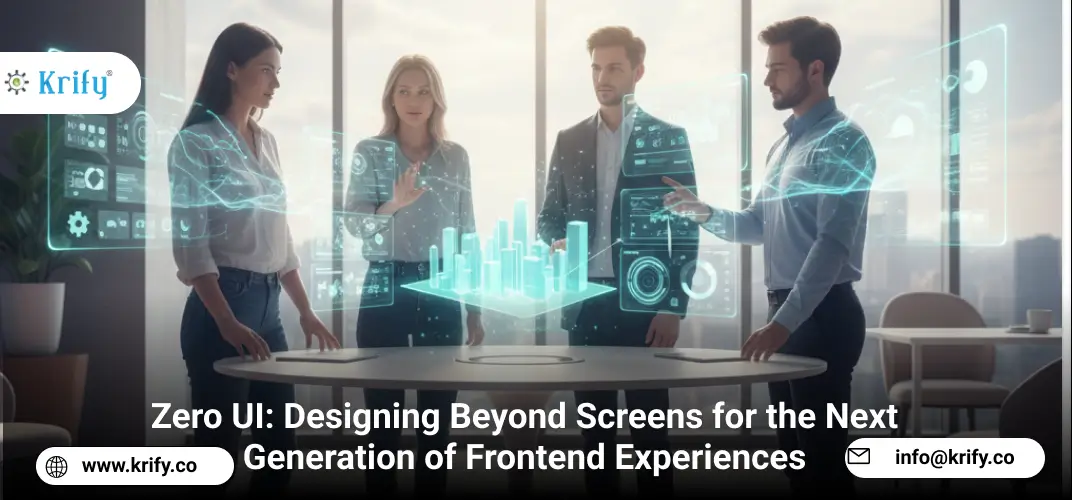
As technology becomes more integrated into our daily lives, frontend experiences are evolving beyond traditional graphical interfaces. Users no longer want to be tied to screens, menus, and clickable icons they want to interact naturally, using voice, gestures, movement, and context awareness. Enter Zero UI a design philosophy where the interface becomes invisible, blending seamlessly with the user’s environment. From smart homes to AR glasses, Zero UI enables hands free, screen free, and frictionless interaction. For frontend developers, this shift is both a challenge and an opportunity: building systems that feel natural while maintaining responsiveness, accessibility, and adaptability.
What is Zero UI?
Zero UI is the concept of removing visible UI elements and enabling interaction through non visual inputs, such as:
-
Voice commands
-
Gesture recognition
-
Haptic feedback
-
Eye tracking
-
Environmental sensors
Instead of forcing users to navigate menus, Zero UI systems anticipate intent and deliver responses contextually, often without displaying anything at all.
That means:
-
Natural interactions replace clicks and taps
-
Real world context shapes the experience
-
Faster, more intuitive onboarding for all users
Why Zero UI Matters for Frontend Teams
Zero UI is not about removing the frontend — it’s about redefining it. Here’s why frontend developers should care:
-
Seamless interactions with no visual clutter
-
Accessibility by design through voice and gesture interfaces
-
Immersive experiences with AR, VR, IoT, and wearables
-
Cross device consistency across phones, smart speakers, and cars
-
Future proof skills for AI driven ambient computing environments
Whether you’re building smart assistants, in car systems, or wearable tech, Zero UI principles help deliver a user experience that’s effortless yet powerful.
Key Architectural Concepts in Zero UI for Frontend
1. Context Aware Design (Core Principle)
Zero UI systems must adapt to:
-
Location and environment
-
User history and behavior
-
Device type and capabilities
Example: A smart fridge that automatically suggests recipes based on available ingredients and dietary preferences, without showing a menu until requested.
2. Sensor and Hardware Integration
Frontend code now connects with:
-
Cameras for gestures and facial recognition
-
Microphones for voice commands
-
Motion sensors for hand tracking and spatial awareness
These inputs replace traditional event listeners like onClick with real world triggers.
3. Voice First Interfaces
Voice becomes the primary user input. Frontend developers integrate:
-
Speech recognition APIs
-
Text to speech feedback
-
Multi language NLP support
Example: A warehouse app where workers request inventory details verbally without looking at a screen.
4. Minimalist Visual Overlays
While Zero UI is screen light, it still uses micro interactions:
-
Heads up displays in AR
-
Small notifications in smart glasses
-
Visual confirmation after voice or gesture commands
This ensures user confidence without breaking the immersive flow.
5. Haptic Feedback for Confirmation
Tactile responses replace visual confirmation:
-
Vibration when a command is received
-
Subtle pulse for navigation cues
-
Pressure sensitive inputs on wearables
Real World Use Cases
-
Smart homes with voice and motion controlled lighting, climate, and security
-
Automotive systems with gesture based infotainment controls
-
Wearables using eye tracking and haptics for fitness tracking
-
Healthcare systems enabling hands free medical device operation
-
AR and VR experiences with contextual overlays
Who Should Explore Zero UI?
-
Enterprises adopting IoT and AR or VR solutions
-
Agencies designing futuristic interactive products
-
Frontend developers interested in hardware integration
-
Startups building immersive, voice first consumer apps
Final Thoughts
Zero UI is not the end of the frontend, it’s the evolution of it. By embracing voice, gestures, sensors, and context awareness, developers can build invisible yet intelligent systems that meet users where they are, without forcing them to adapt to a screen. As ambient computing, AI, and wearables become mainstream, Zero UI will move from niche innovation to everyday necessity. For frontend teams, the future lies in designing for interactions that feel human, not digital. Have a project in mind or need expert guidance? Contact us to discuss how we can help bring your vision to life.